
About Grand Theft Auto V
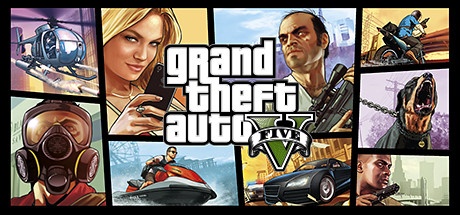
Grand Theft Auto V is an open-world action game from Rockstar Games, set in Los Santos and Blaine County. The story follows three protagonists whose activities intersect around missions and heists. This category game guide concerns the PC Legacy edition for Windows. The Enhanced edition is a separate product, with its own requirements and features; its graphical effects and terms are not attributed here to Legacy.
The campaign alternates between directed sequences and exploration of the territory. You drive, engage in clashes, and choose various activities between missions. Changing characters allows you to follow multiple points of view on the same story. PC options provide access to display and control settings that must be adapted to your hardware rather than considering promotional images as guaranteed performance on all computers.
Legacy also includes access to Grand Theft Auto Online under the terms of service. Installation and activation requires accounts and components specified by the distributor and Rockstar. Before joining friends, compare your editions: the presence of the GTA V name is not enough to confirm that your online sessions are compatible. Also check the space requested by the current download.
Follow the three main characters
The campaign organizes its missions around characters whose situations and skills differ. The change of point of view allows you to discover Los Santos from several angles and also occurs in certain prepared sequences. Follow the directions in the game to find out which character can continue a stage. Between missions, free activities let you explore without automatically changing the entire story. Keep multiple backups if you want to go back to a specific point in time or try a different approach. Clear progression avoids confusing an available side activity with the next mission needed to advance the storyline.
Prepare heists and scripted missions
Heists combine preparation and execution in scripted missions. Read the objectives and proposed choices before confirming a decision. A sequence may require driving, changing characters, or holding a position at the right time. If an attempt fails, look at what the game actually expected instead of immediately repeating the same actions. On-screen directions and dialogue often provide the necessary context. The exploration sessions also allow you to familiarize yourself with the movement and vehicle controls before encountering them in a more constrained situation.
Compare Legacy and Enhanced before downloading
The two editions should not be treated as a simple graphics setting change. Their configurations, available content and playing conditions may differ. Check the full name in the store and in the library of the client used. This guide covers the Legacy scope; it does not promise the functions highlighted for Enhanced. To play with friends, agree on a common edition before starting a large download. If you're considering a migration, review the official rules at the time of migration and keep in mind that progress doesn't necessarily sync across products.
Adjust the graphics for your computer
The PC version offers many settings, including texture quality, shadows and population density. A high value may increase graphics or processor load depending on the scene. Start with a configuration adapted to your machine, then compare the same situation after each modification. Driving through busy city streets and exploring a less populated area can place different demands on your hardware. Also look at the available graphics memory and the menu indications. The minimum requirements describe the hardware threshold stated by the publisher; it does not promise all effects enabled at high resolution.
Distinguish the campaign from online services
Grand Theft Auto Online has its own operation, activities and connection conditions. A campaign save is not your online character. Check the Rockstar account used at launch, especially if multiple people share the computer. Service updates and requirements may change regardless of your single-player gaming habits. Modifications intended for a local campaign should not be assumed to be compatible with an online session. To resolve an access issue, start with the client message, installed edition, and account information rather than replacing files.
Choose another entry for a different adventure
Grand Theft Auto: San Andreas offers the story of CJ in its original edition, while Grand Theft Auto: Vice City follows Tommy Vercetti in a setting inspired by the 1980s. These games in the catalog may be of interest to fans of other periods of the series. GTA V Legacy stands out in particular for its multi-protagonist campaign and its territory of Los Santos and Blaine County. Choosing an episode does not replace checking its edition. Old Vice City or San Andreas requirements do not describe this game, and their saves do not allow progress to be transferred to it.
Key features
- Follow a story with three playable protagonists.
- Explore Los Santos and Blaine County.
- Prepare and then execute campaign heists.
- Drive vehicles in a vast open territory.
- Play using an optional first person view.
- Adapt graphics options to your hardware.
- Access GTA Online under Legacy conditions.
- Distinguish your solo saves from your online progress.
System requirements
Legacy: Windows 10 64-bit; RAM 4 GB minimum; 125 GB disk; processor and graphics card according to official Legacy requirements.
Questions and answers
Does this guide describe GTA V Enhanced?
No. It concerns Grand Theft Auto V Legacy, associated here with the historic PC distribution. Enhanced has its own requirements and features. Check the full edition name in your library before comparing a download, setup, or compatibility when playing with friends.
Do you need a Rockstar account in addition to Steam?
The distribution described requires a connection to Rockstar Services for installation and activation, in addition to the distributor's terms. Follow the prompts in the official launcher. A login is also required for online play and certain license checks.
How much space do you need for Legacy?
The official requirements page indicates 125 GB of available space. The volume requested by the client may change with the distributed files. Check the value displayed at the time of installation and save room for updates and your backups.
Do Legacy and Enhanced players automatically share a session?
Do not consider the two editions as a single compatible installation. Check the official conditions and choose the same edition with your group. Simply having GTA V in a library is not enough to guarantee access to the same session.
Can we find savegames of old GTAs in GTA V?
Episodes have their own characters, stories and files. A save of San Andreas or Vice City does not become GTA V progression. Keep your files in their respective installations and check separately for any official procedures regarding Legacy and Enhanced.
How to install
- Open your Steam library or the official distributor of your license and select Grand Theft Auto V Legacy.
- Choose the installation, check the destination disk and the space requested by the client.
- Let the download complete and install the Rockstar components offered during the first launch.
- Log in to the Rockstar account linked to your license, complete activation, and choose the campaign or online services available for this edition.
Appbunda is an independent catalog and is not affiliated with the developer. Product names and logos belong to their owners. Always check the file source before installing.