

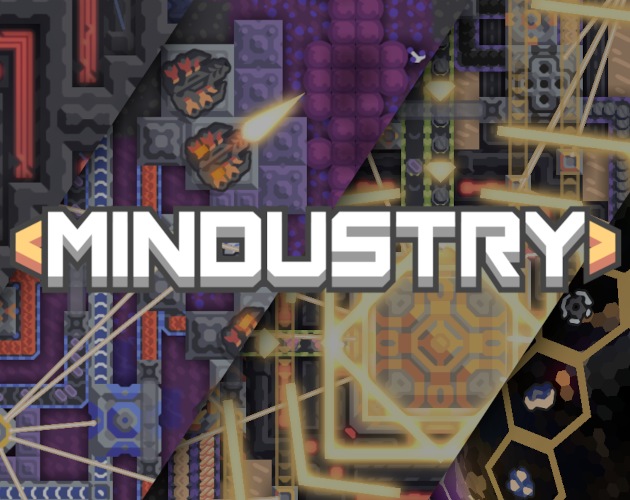
About Mindustry
Mindustry combines an automated factory with a real-time defense game. Developed by Anuke and contributors, the game asks you to connect extraction, processing and transportation to supply your constructions. A turret does not protect a position for long if the ammunition no longer arrives. Your organization therefore matters as much as the number of weapons installed. In the catalog category for Windows, this title is suitable for players who like to observe a circuit, spot a break and rebuild a more coherent network. The view from above makes the flows visible, but their multiplication gradually requires more attention.
The version presented is 160.7, available in a 64-bit Windows archive on the developer's itch.io page. This pay-what-you-want distribution differs from the paid Steam offer, associated in particular with achievements and Workshop integration. The project code is open under GPLv3. You can explore the mechanics solo, experiment with a build, or play with other people depending on the mode you choose. Don't reduce Mindustry to a simple tower placement game: the units, industrial needs and terrain layout give several reasons to revisit an already functional base.
Track resources to their destination
Start with a short chain where you understand every step. Connect an extraction point to its recipient, then watch what happens when consumption increases. A busy conveyor does not prove that all machines are receiving the correct materials. An intersection, a saturated outlet or insufficient production can slow down the entire network. Before adding a new line, identify the resource that is actually missing. This observation makes the first constructions easier to correct. It also prepares more complex networks, in which supplying defenses and the manufacture of construction materials can compete at the same time.
Build a defense that stays supplied
The position of weapons, their range and the paths taken by enemies influence defense. Supplies add another constraint: a good arrangement loses its value when the reserves are empty. Prepare the necessary lines before multiplying the turrets and maintain access to modify the installations. Also observe buildings whose destruction would interrupt several functions. A local loss can have consequences far from the fight. To learn, change part of the defensive layout and watch the result in the next wave. You will better understand the difference between a lack of power, poor coverage and a production outage.
Moving from learning to a shared game
The game offers several ways to use its systems, including campaign progression, experimental builds, and network matches. Start with a framework that allows time to understand the available blocks. In multiplayer, agree on tasks and check the game rules before rearranging a common setup. Two people can build effectively together, but also unintentionally divert the same resource. The client version and modifications used must match the server. A public game does not guarantee the permanent presence of other players nor a playing style adapted to your first discoveries.
Choosing the Right Windows Distribution
The developer page lists a 97 MB 64-bit Windows archive for version 160.7. This number describes the download, not all the space occupied after extracting and adding data. Keep the entire extracted folder and run its executable; neighboring files are part of the package. JAR files published on GitHub and dedicated server support other launch modes. Do not choose the server to play as a client. The Steam distribution has its own terms and store functions. Compare these channels according to your need for local gaming or integration with this platform.
Adapt a factory to the rhythm of your computer
Visible effects are only part of the work done during a game. Units, production and build size can also change the load. A quick start on a simple map therefore does not prove that every factory will maintain the same responsiveness. Gradually test your builds and reduce visual options if necessary. Distinguish a local slowdown from a network problem when playing online. Also back up your saves before changing versions or significantly modifying your environment. As memory and installed space figures are not confirmed for this distribution, no numeric minimum is stated here.
Compare games according to the decision that interests you
OpenTTD may be suitable if you prefer to organize a transport network and its economic operation. It does not use the same enemy-wave pressure or industrial production chains. Warzone 2100 places more emphasis on an army, research and vehicles in a real-time strategy. Freeciv offers a turn-based rhythm to developing a civilization. These games meet different desires, even when they all require planning. Mindustry is especially relevant if you want production choices and defense to meet directly in the same base, with material flows you can observe.
Key features
- Production lines with automated resource transport
- Turrets supplied with materials from your factory
- Campaign progression and experimentation with available constructions
- Multiplayer games with cooperation or clashes depending on mode
- Map editor to prepare your own terrain
- Open source code and community development of the project
- Windows distribution available in a complete archive
- Units and infrastructure associated with production needs
System requirements
Windows 64-bit; Minimum Windows version, memory and installed space not confirmed for this package.
Questions and answers
Is Mindustry free on Windows?
The developer's itch.io page offers pay-what-you-want distribution. The Steam offer is separate and paid, with functions linked to this platform. Choose your channel according to the desired services; open code does not make all commercial distributions the same.
Do you need to install Steam to play?
No for the Windows distribution offered directly by the developer on itch.io. You download and extract its archive. Steam concerns another offering and its integrations. Just make sure you're using the Windows client package, rather than the dedicated server or project sources.
Why do my turrets stop firing?
Look at their supply, the presence of suitable targets and the functioning of the upstream chain. An empty reserve or interrupted transport may explain the problem. Test one line at a time before rebuilding the entire defense around the affected position.
Can you create your own maps?
The game includes a map editor. A creation also requires thinking about resources, access and the planned game mode. Test the map with the actual rules chosen before sharing, as readable terrain can still produce unbalanced progression.
Is the 97 MB package all the storage?
No. This is the size displayed for the downloaded Windows archive. Extraction, saved games and added content also take up space. Leave a margin and measure your actual folder rather than equating the compressed size with the needs of a full installation.
How to install
- Open the itch.io page of Anuke and choose the Windows 64-bit download of Mindustry.
- Download the Windows archive corresponding to the indicated version; the server is a separate package.
- Extract all ZIP content to a folder where you can keep the game.
- Run the executable from the extracted folder, adjust the controls and start a learning game.
Appbunda is an independent catalog and is not affiliated with the developer. Product names and logos belong to their owners. Always check the file source before installing.