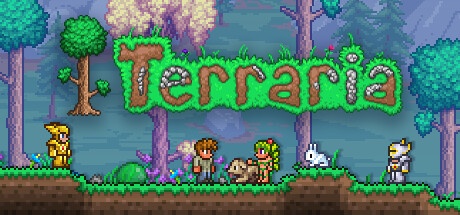
About Terraria
Terraria is a two-dimensional construction adventure game developed by Re-Logic. You explore a generated world, collect materials and craft equipment to reach new locations and face enemies. This entry in the games category concerns the PC edition for Windows. The game is aimed at people who like to alternate between a construction project, an underground expedition and progression through discoveries and combat, without only following a succession of imposed missions.
The character and the world are two important elements of your game. You equip your character with the objects obtained and transform the terrain to create buildings, passages or areas suitable for clashes. The inhabitants you welcome bring other possibilities as you progress. Exploration also exposes you to dangers: preparing lighting, travel and return avoids losing the thread of an expedition at the first obstacle.
Terraria can be played alone or with other participants on PC. Versions and any modifications must match to share a game. The base game is paid, and the modification tools are a separate environment to check before use. Keep copies of your characters and worlds before changing configurations or attempting a migration.
Prepare shelter and organized storage
The first constructions are used to organize your presence in the world. Have a place to store resources, craft items, and easily find what you need. Separate building materials, equipment, and consumables to avoid searching through all the chests before an expedition. Housing intended for residents must respect the conditions of the game; a simple cavity in the ground is not always enough. Consult the available indications to understand what is missing. A readable base then facilitates expansions and allows you to return to an interrupted project without starting its entire organization again.
Plan a return route when exploring caves
Before descending deeply, prepare light and means of crossing height differences. A fall or a flooded passage can transform a short exploration into lasting difficulty. Look at the map and create markers to find useful junctions. Discovered materials are only interesting if you can bring them back and use them. Return regularly to drop off important items rather than prolonging each expedition until you run out of equipment. This alternation between exploration and preparation allows you to identify missing resources and leave with a concrete objective, instead of wandering without knowing what to keep.
Build a coherent set of combat equipment
Weapons, protections and accessories influence the way you approach a confrontation. Compare their effects and choose a set that suits your way of playing. A new weapon does not automatically solve a movement or terrain problem. Also prepare the space where you plan to face an important enemy: obstacles, platforms and retreat possibilities change the course of the fight. After a defeat, identify what limited you before starting again. You can look for better protection, a useful accessory, or a more readable arena, rather than repeating the same attempt with just one different item.
Distinguish character files from world files
Terraria progression depends on both the character used and the world you have opened. Keep this distinction when making backups or changing computers. Copying just one of the two may leave out your equipment or builds. Before a major change, keep a complete copy of the necessary items and verify that they load in the intended installation. Possible cloud backups are no substitute for understanding what you're moving. If you are testing modified content, avoid using your only copy of a developed world for many hours without a way to restore an earlier copy.
Agree on a shared adventure before digging
To play with friends, agree on the version, world, and any modifications used. Also determine how you will allocate important resources and major construction projects. Multiple players can explore at different paces and trigger changes that others did not anticipate. A simple discussion about progress avoids discovering a major event without preparation. Connection and hosting conditions depend on the method chosen. Make sure everyone can join the session before investing time in a character or set of content that doesn't match that of the group.
Compare with Minecraft and management games
Minecraft offers three-dimensional construction in editions that have their own servers and content. Terraria favors a lateral reading of the world and a progression marked by equipment and confrontations. OpenTTD also puts construction at the center of the game, but to organize transport and an economy. Choose according to what you want to do between building projects: explore caves, modify a block landscape or improve a network. These catalog titles are not interchangeable versions of the same experience, even when their screenshots all show spaces that the player can transform.
Key features
- Explore generated worlds in two dimensions.
- Dig passages and collect resources.
- Craft weapons, tools and construction items.
- Provide suitable housing for the world’s residents.
- Prepare areas to face bosses.
- Combine weapons and accessories according to your progress.
- Share an adventure with other compatible players.
- Save your characters and worlds separately.
System requirements
Steam data: Windows XP to 10 historically listed; RAM 2.5 GB; 200 MB disk; unspecified architecture; Separate current Steam client requirements.
Questions and answers
Is Terraria free on Windows?
No. The base game is sold under a commercial license. Check the official store for available offers. Announced content updates for the game do not mean that the first download or any associated offers are free.
Is Terraria just Minecraft in two dimensions?
Both games allow for building and exploring, but Terraria has its own progression, gear, and encounters. The side view influences movement and construction. Choose according to the pace of adventure you're looking for rather than assuming their rules are the same.
Can you play with friends on PC?
Yes. The PC version offers multiplayer possibilities. Check the game version, hosting, and any changes before joining the session. A modified installation must correspond to the expected contents; having the same title is not enough in all cases.
What should be backed up before reinstallation?
Keep your character files and those of your worlds. They represent different parts of your progress. Check their location depending on your installation and the cloud options used, then test their loading before deleting old copies.
Are the Steam requirements indicating Windows XP still sufficient?
This page contains historical specifications for the game, but the Steam client has its current requirements. Check these two aspects separately. Expansions, large worlds, and other applications may also increase requirements beyond published minimums.
How to install
- Install the official Steam client, then log in to the account that owns Terraria.
- Open the library, select Terraria and choose Install. Check the destination disk and requested space.
- Let Steam download the game and install the required components. Then launch the title from its library.
- Launch Terraria, create a character then a world, choose their settings and start a first local session.
Appbunda is an independent catalog and is not affiliated with the developer. Product names and logos belong to their owners. Always check the file source before installing.