

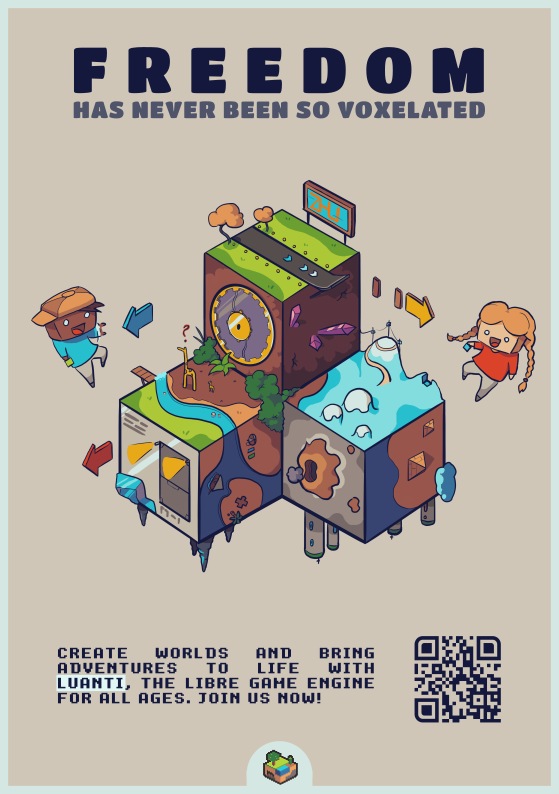
About Luanti
Luanti is a block-based game platform, previously known as Minetest. The project is developed by a community of contributors based on the work of Perttu Ahola. Its role is to provide the engine, client and tools to run different games. You must therefore choose a game before creating your first local world. This distinction is essential in the category catalog for Windows: installing Luanti does not amount to receiving a single predefined experience for which all the rules have already been decided.
Version 5.17.0 offers a 64-bit Windows installer and portable archives in 32 or 64 bits. The engine is open source under LGPL 2.1 or later, while games, textures and other content retain their own licenses. You can explore, build or follow the objectives set by your chosen game. Some favor a sandbox, others add more directed progression. The content browser makes their installation easier, but does not eliminate the differences between games and mods. Luanti is best suited if you want to choose this environment and understand what elements make up your world before customizing it.
Install a game before creating a world
When first launched, Luanti prompts you to install a game and opens the content browser. Read its description to understand the proposed activities and possible needs. Once the game is installed, create a world associated with it. The world contains your progress and your constructions; the game provides the rules and available items. These two elements are therefore not interchangeable. To discover common controls, a tutorial game is offered in the ecosystem. Start with a simple game before comparing multiple sets of rules. You can then create another world without confusing its data with those of the first.
Add mods in the right context
The content tab allows you to browse games, mods, and texture packs. Their role differs: a texture pack modifies the appearance, while a mod can change objects or behaviors. After installing a mod, activate it for the respective world with the mod selection control. Check its compatibility with the game used and its dependencies. Accumulating additions does not guarantee a consistent experience. Test a change in a copy of the world when your constructions matter. This will allow you to identify the origin of a change without randomly deleting several elements already used in your game.
Understand what a server provides
For online play, choose a server in the connection tab or enter its address and port. The necessary contents are provided upon connection: you do not have to manually install all server mods. The rules, authorizations and organization of the world, however, remain specific to its administrator. Accounts are not centralized across all servers. A name used on one does not automatically constitute an account on the others. Read the overview before building and distinguish your local save from the remote world. Leaving the server does not automatically transfer its world to your computer.
Choosing between installation and portable archive
The official site recommends the 64-bit installer for Windows and indicates compatibility with Windows 8, 8.1, 10 and 11. Portable 32- and 64-bit archives are also offered. With an archive, extract the complete folder then launch luanti.exe in the bin subfolder. Do not move just this executable, leaving its associated files behind. If you are moving from an older portable installation to the installer, follow the data migration documentation. Worlds, games and settings deserve a separate check. Windows package size does not describe the size of all content installed afterwards.
Adjust graphics for the world you actually play
Needs vary with viewing distance, textures, mods and game used. An empty area does not necessarily represent a dense city or a set of simulated machines. Start with moderate settings and observe responsiveness while moving. Reduce the displayed distance before attributing any difficulty to the engine. Online, also distinguish server delay from local frame rate. Choosing a 32-bit archive is not a promise of better operation on a small computer. Leave room for world growth and back up their folder before making a major change to your configuration.
Compare Luanti with other games in the catalog
Minecraft offers identified editions and game rules, with their own commercial and compatibility conditions. Luanti first asks you to choose a game in its ecosystem, which changes the starting point of the experience. Terraria builds its exploration and progression in a two-dimensional world. Roblox relies on another platform and experiences published in its service. These connections shed light on uses, not automatic compatibility of worlds or mods. Choose Luanti if you are interested in the diversity of block games and local customization, agreeing to check the contents necessary for each world.
Key features
- Choice of block games from the client
- Creation of local worlds associated with the chosen game
- Mods activated separately for each compatible world
- Texture packs to modify visual elements
- Connection to servers with automatically provided content
- Windows installer and portable archives according to architecture
- Configurable movement controls in settings
- Open source engine developed with community contributions
System requirements
Windows 8/8.1/10/11; 64-bit installer and 32/64-bit archives; variable memory and disk depending on games and content.
Questions and answers
Why is Luanti asking me to choose a game?
Luanti provides a platform capable of running multiple games. The client alone does not define all the rules of your game. Install a game from the content browser, then create a world associated with it to start playing locally.
Is Luanti the new name for Minetest?
Yes, the project formerly named Minetest is now named Luanti. You may still encounter the old name in documents, folders or content. Check their version and compatibility rather than treating each old reference as a current instruction for your installation.
Do I need to download the modules for each server?
The server provides the necessary content upon connection. You don't have to manually reproduce its mod setup to join it. In contrast, a local game uses your games and mods, with activation and dependencies to check for each world.
Are the accounts common to all servers?
No. The documentation explains that accounts are server specific. Your registration on a server does not create a universal Luanti account. Check the rules for your chosen service and don't assume that your local world or progress will automatically follow this server change.
Can we use Luanti without traditional installation?
Portable Windows archives are offered in 32 and 64 bits. Extract the entire folder and run luanti.exe from bin. Keep associated files and check the location of worlds before moving. Client portability does not replace a separate backup of your builds.
How to install
- Download Luanti 5.17.0 for Windows from the official website and choose the 64-bit installer.
- Launch the EXE file and follow the wizard to install the client in the proposed or chosen folder.
- Open Luanti and use the initial prompt to install a game from the Content Browser.
- Create a world for this game, check the controls and start your first local game.
Appbunda is an independent catalog and is not affiliated with the developer. Product names and logos belong to their owners. Always check the file source before installing.